PayPal subscribers can't migrate off Lemon Squeezy. Here's how to keep them
By Naveen Meena · Updated · Lemon Squeezy stops processing payments March 31, 2027
Short answer
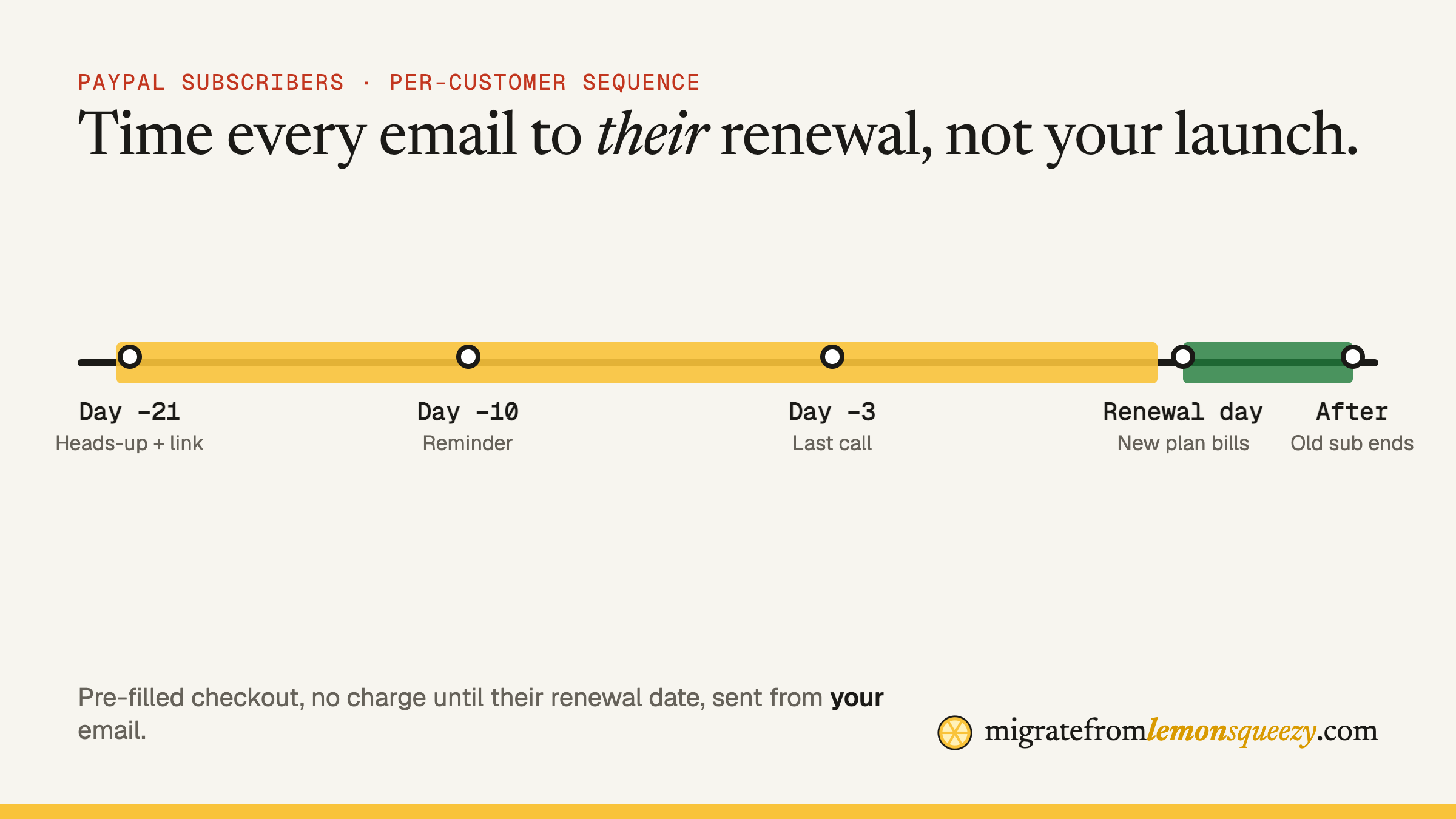
Lemon Squeezy PayPal subscriptions can't be migrated. Each PayPal subscriber has to start a new subscription with a supported payment method. The way to keep most of them is a per-customer sequence: a pre-filled checkout link that doesn't charge until their current renewal date, emailed from your own address about 21, 10 and 3 days before that date.
Card subscriptions get a relatively smooth path off Lemon Squeezy. PayPal subscriptions don't. Lemon Squeezy's migration docs say it plainly: "PayPal subscriptions can't migrate as PayPal subscriptions. Customers must repurchase with a supported payment method." Stripe Managed Payments doesn't support PayPal at all, and moves to other providers only cover subscriptions paid by card.
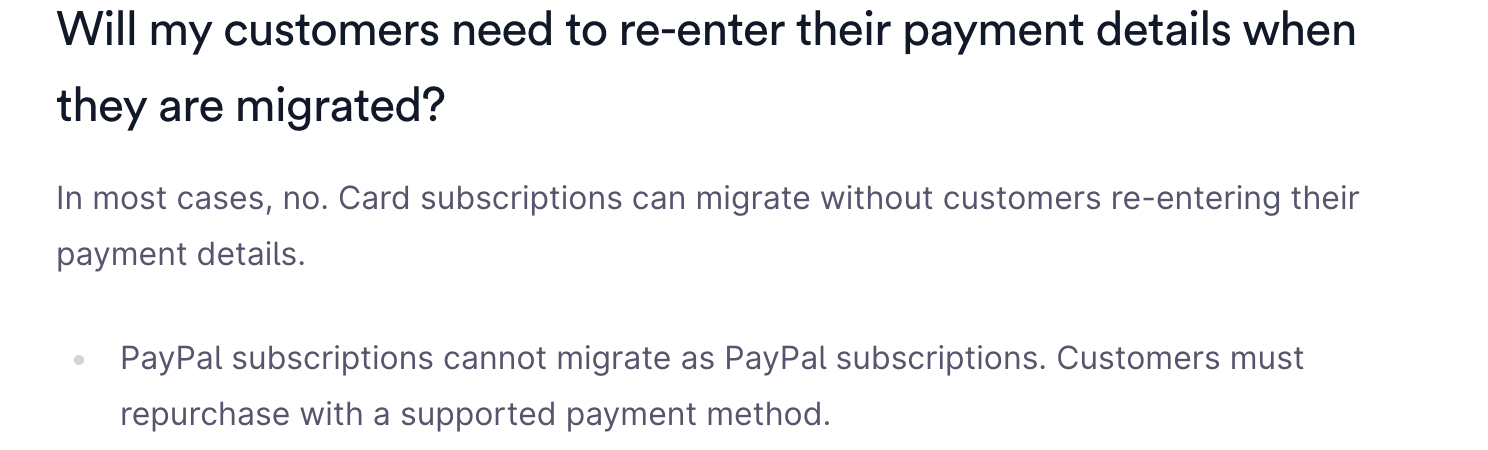
So every PayPal subscriber has to actively sign up again. Customers who have to take an action are the ones you lose. This playbook is about making that action as small, well-timed and trustworthy as possible.
Step 1: find your PayPal subscribers
Export your subscriptions (see exporting your Lemon Squeezy data) and filter for those paid with PayPal. For each one you need:
- Email and name
- Product and variant (plan)
- Price and billing interval
- Next renewal date
- Your own internal user ID, if you passed one through checkout custom data
Then sort by renewal date. That list is your campaign schedule.
If PayPal subscribers are a large share of your recurring revenue, start this early. Anyone renewing after March 31, 2027 can't renew on Lemon Squeezy at all.
Step 2: decide where they're going
PayPal support varies by provider. Stripe Managed Payments doesn't support it. If many of your customers chose PayPal deliberately, check whether your new provider offers it, because "please switch to a card" is a harder ask than "please confirm with PayPal again". Our alternatives comparison covers this per provider.
Step 3: build a checkout that removes every bit of friction
The re-subscribe link should be the shortest possible path:
- Pre-filled: email (and name if supported) already in the checkout.
- Same plan, same price. Don't make them choose again. If you've raised prices since they joined, honour their old price.
- No charge until their current period ends. Use a trial or billing start date that lands on their existing renewal date, so they never pay twice for the same period. Most providers support a trial end or billing anchor on checkout.
- Your user ID attached as metadata, so the webhook can match the new subscription to the existing account.
- A link per customer, generated by your server, not a generic pricing page.
Give it a URL on your own domain, like yourapp.com/renew?token=…, which redirects to the provider's checkout. It looks trustworthy and you can change the destination later.
Step 4: time the emails to each renewal
One "we're moving" blast in March loses people. A sequence keyed to each customer's own renewal date keeps them:
| When | Goal | |
|---|---|---|
| ~21 days before renewal | "Your subscription is moving" + link | Explain once, plainly |
| ~10 days before | Short reminder + link | Catch the busy ones |
| ~3 days before | "Last step before your renewal" | Urgency, not panic |
| After it lapses | "Your access is paused, one click to restore" | Win back late movers |
Rules that matter:
- Send from your own domain, not a no-reply. Payment emails from an unfamiliar sender read like phishing.
- Say who's billing them next. "You'll see [your company] via [provider] on your statement."
- Never ask for card details in the email itself. Link to checkout only.
Ready-to-use templates are in customer emails for the migration.
Step 5: avoid double charges and gaps
The risky moment is the overlap. Make sure:
- When the new subscription is created, cancel the Lemon Squeezy subscription at period end (not immediately, or they lose time they paid for).
- Your app treats the user as active if either provider says so during the transition. See webhook migration.
- If a customer renews on Lemon Squeezy before moving (renewal falls before they act), push their new start date to the next renewal.
- Log every move so you can answer "why was I charged?" quickly.
Step 6: measure and chase
Track three numbers weekly: PayPal subscribers left, moved, lapsed. Reply personally to anyone who lapses in the first weeks. Often it's one confused customer, and a two-line email from the founder fixes it.
Customers who renew after March 31
Annual PayPal subscribers renewing after March 31, 2027 still need moving before that date, because Lemon Squeezy stops processing then. Give them a new subscription that starts billing on their original renewal date, so they don't pay early.
Don't want to do this yourself? We'll do the whole migration at a fixed price.
Questions
Can Lemon Squeezy PayPal subscriptions be migrated?+−
No. Per Lemon Squeezy's migration docs, PayPal subscriptions can't migrate. Customers must repurchase with a supported payment method.
Does Stripe Managed Payments support PayPal?+−
No. Lemon Squeezy's comparison page states that Managed Payments does not support PayPal.
How do I stop PayPal subscribers paying twice?+−
Start the new subscription with a trial or billing date that lands on their existing renewal date, and cancel the Lemon Squeezy subscription at period end once the new one is active.
When should I email PayPal subscribers?+−
Per customer, timed to their renewal: around 21, 10 and 3 days before it, plus a win-back email if it lapses.